Features / Community Feed
Community Feed
Create a full account, discover Athletes to Follow, and see finished sessions in the feed. Like and comment. Mutual follows unlock Compare PRs and nudges so you can stay accountable without a group chat.
How it works
Create a full account (Community is blocked for guests).
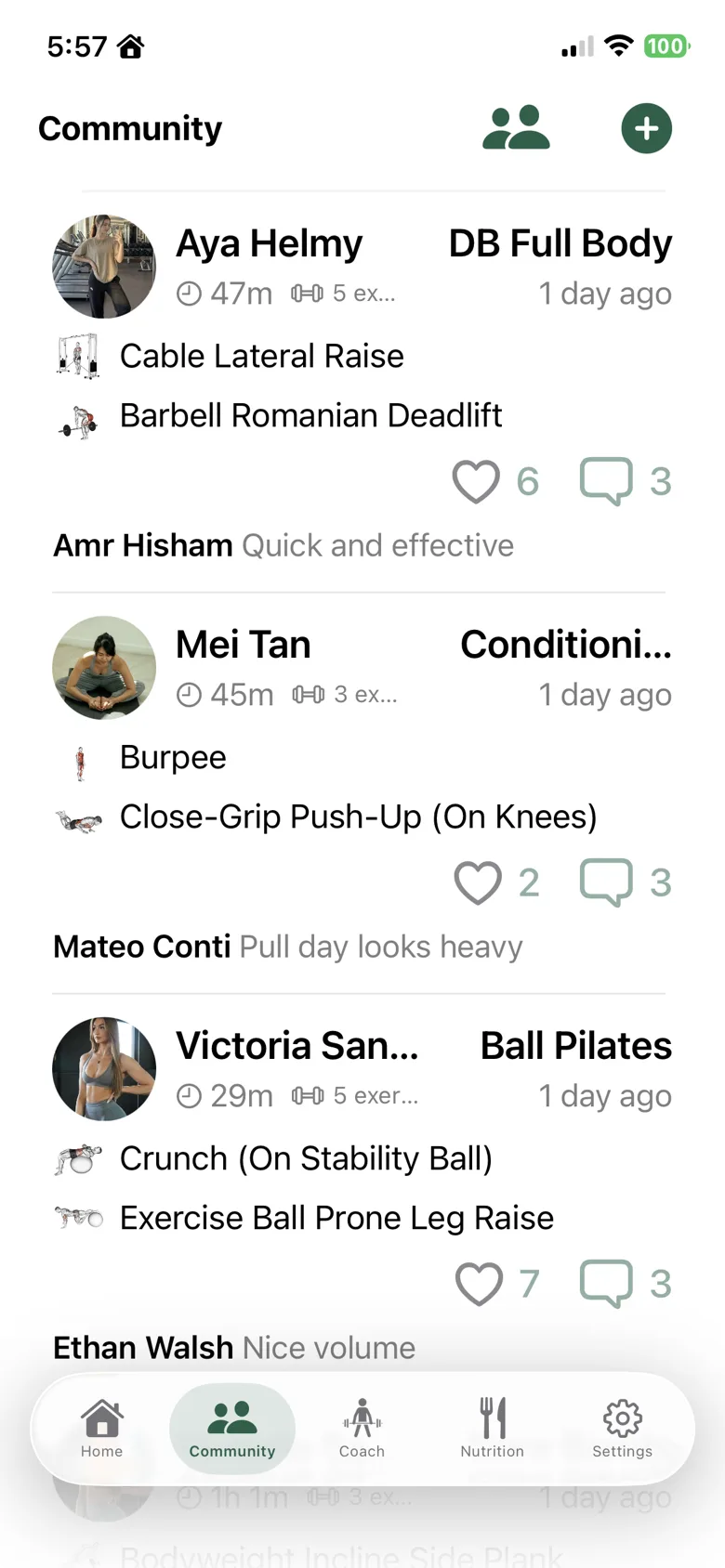
Open Community to browse the feed of finished sessions from the past 30 days—cards show exercises, thumbs, and badges earned that session.
Use Athletes to Follow for suggestions, then follow in one tap. Follow is one-direction; unfollow only removes your follow.
Like and comment on sessions. With a mutual follow, Compare PRs and Nudge become available for accountability.
FAQ
Can guests use Community?
No. Guests are prompted to create a full account. Feed RPCs also require a full account.
What appears in the feed?
Finished sessions from non-guest authors (including you) from the past 30 days, plus an optional live rail of in-progress sessions.
What do mutual follows unlock?
Compare PRs and nudge pushes. Likes and comments work for any full account on finished sessions in the feed.