Features / Badges & Achievements
Badges & Achievements
Badges add a synced progression layer to the core loop: finish workouts → update progress → unlock badges → celebrate → nudge toward the next badge.
How it works
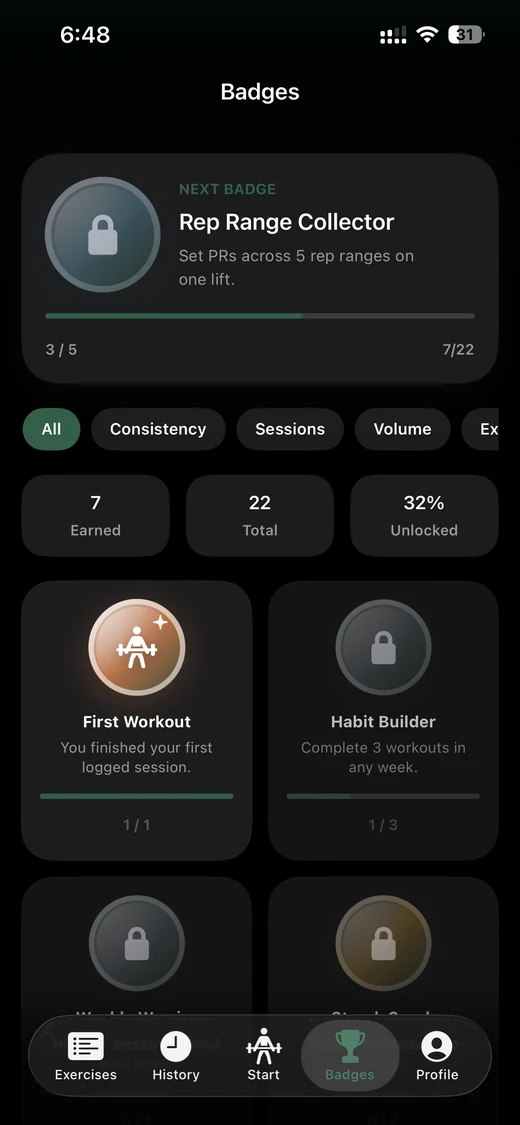
Train and finish sessions as usual. Badge evaluation runs after a successful finish (and when the Badges tab appears or sync pulls history).
Open the Badges tab to browse categories: Consistency, Sessions, Volume, Explorer, Mastery, and PRs.
Unlock milestones like First Workout, weekly habits, session counts (10–250), volume targets, unique exercises, and PR momentum.
Optionally enable notifications for unlocks and next-badge nudges in Settings → Notifications (nudges only when the next badge is 60–95% complete).
FAQ
Do guests get badges?
Guests use local-only badge state. Signed-in users merge progress with the cloud so unlocks survive reinstalls.
Where did Nutrition go on the tab bar?
Badges is a main tab. Nutrition lives under Profile beside Dashboard and Records.
How is progress calculated?
The app builds an aggregate snapshot of your training, then maps metrics to each badge’s target. When syncing, earliest unlock and highest progress win.